How to Create a Digital Restaurant Menu in 5 Minutes
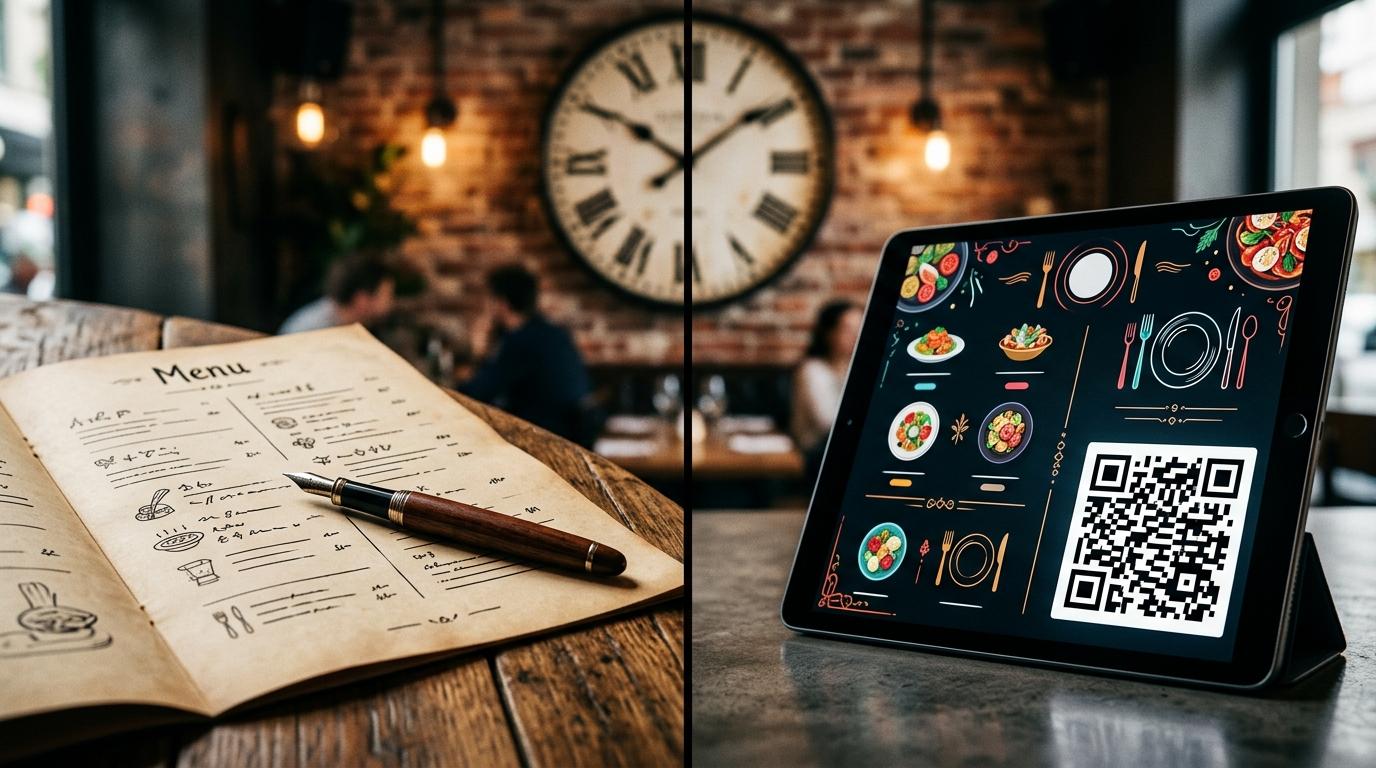
Running a bustling restaurant, café, or dining venue means managing dozens of daily details. Between shifting ingredient costs, seasonal dish rotations, and physical menu wear-and-tear, traditional paper menus often become a major operational burden. Reprinting menus every time a price changes or an item goes out of stock is not only expensive but also time-consuming. Fortunately, modern dining technology offers a far more efficient solution.
Learning how to create a digital restaurant menu in 5 minutes allows you to streamline menu management, reduce recurring print expenses, and provide guests with an instant, interactive dining showcase right on their smartphones. With specialized platforms like GetQRMenu, you can transition your establishment into the digital era effortlessly—no technical expertise, coding skills, or upfront credit card commitments required.
In this comprehensive guide, we will walk you through the precise steps to design, publish, and maintain your custom digital QR menu, while highlighting how real-time management and clear analytics can transform your day-to-day hospitality operations.
Why Your Hospitality Business Needs a QR Digital Menu
The hospitality industry thrives on speed, flexibility, and memorable customer experiences. Physical menus, while traditional, introduce several friction points for modern restaurant operators. Paper menus quickly become dirty, tattered, or outdated, forcing owners into continuous reprinting cycles that waste both money and time.
A custom dynamic digital menu solves these challenges in a single move. When your guests scan a table QR code with their mobile devices, they instantly view a clean, organized, visually appetizing digital menu. There is no app installation required and no waiting for staff to bring physical booklets during peak service hours.
Key Takeaway: Zero Reprinting Costs
With GetQRMenu, any modification made in your single control dashboard reflects live on guest smartphones in seconds. You will never have to throw away printed menus due to price adjustments or temporary item shortages again.
Step-by-Step Guide: How to Create Your Digital Menu in 5 Minutes
Setting up your digital menu with GetQRMenu is engineered to be as fast and intuitive as possible. Follow these simple steps to launch your interactive venue showcase today.
Step 1: Get Started with the Free Plan
The first step takes less than a minute. Simply register for an account using our free tier. There is no credit card required to get started. The free plan allows you to add up to 25 menu items, giving you full access to test and build your menu without any initial financial commitment or long-term lock-in.
Step 2: Define Your Unlimited Categories
A structured menu helps guests find what they are looking for quickly, boosting order efficiency and overall guest satisfaction. GetQRMenu provides unlimited categories across all plans. Whether you want to divide your offerings into traditional headers like Appetizers, Main Courses, Desserts, and Beverages, or specialized lists like Chef Specials, Vegan Options, and Happy Hour Drinks, you have total organizational freedom.
Step 3: Add Items, Prices, Descriptions, and High-Quality Photos
Once your categories are established, begin populating your items. For every item on your menu, you can easily manage:
- Item Titles & Detailed Descriptions: Clearly outline ingredients, preparation styles, and potential allergen warnings.
- Up-to-Date Pricing: Enter standard prices or quickly adjust figures whenever supply costs fluctuate.
- Vivid Food & Beverage Photos: Visual menus drive higher average ticket sizes. Upload enticing imagery to showcase your signature dishes effectively.
Step 4: Generate Your Custom Business QR Code
Once your items are added, GetQRMenu automatically generates your business-specific QR code. This unique QR code serves as the permanent digital gateway for your customers. You can download this QR code image in high resolution to place on table stands, tent cards, coasters, window decals, or receipts.
Step 5: Publish, Test, and Scan
Open your smartphone camera, point it at your newly generated QR code, and test the experience firsthand. You will see your polished, responsive digital menu load instantly in your phone web browser. Your complete digital setup is ready for public use in 5 minutes or less!
Core Features of GetQRMenu Designed for Business Growth
GetQRMenu focuses entirely on the essential capabilities that modern food and beverage businesses require to operate seamlessly and cost-effectively.
| Feature | Operational Benefit |
|---|---|
| Venue-Specific QR Code | Provides guests with instant, direct access to your exact digital menu without downloading external apps. |
| Dynamic Single-Panel Dashboard | Manage all categories, items, prices, and photos from one screen in real-time without reprinting paper menus. |
| QR Scan Analytics | Monitor precisely when and how many times your QR code menu is scanned to track guest interaction trends over time. |
| Free Tier (25 Items) | Start completely free without entering credit card details; upgrade only when your business needs expand. |
| Flexible Monthly Billing | Zero long-term contracts or hidden commitments; upgrade, downgrade, or cancel your plan at any point. |
| Unlimited Categories | Organize your full menu effortlessly regardless of your active plan tier. |
| Dedicated Support Service | Access rapid customer support whenever you have questions or require technical assistance. |
Real-Time Management: Updating Prices and Items in Seconds
One of the greatest operational advantages of GetQRMenu is live item management. In traditional restaurant settings, if an ingredient runs out during a busy dinner service, staff members must verbally inform every table that an item is unavailable—or risk receiving orders for dishes the kitchen can no longer prepare.
With GetQRMenu, your floor managers can log into the single control panel from any smartphone, tablet, or desktop and temporarily hide an item or update a price in seconds. The next guest who scans the QR code at Table 4 will instantly see the updated menu. This level of live control streamlines kitchen communication, prevents guest disappointment, and eliminates the awkward friction of outdated listings.
Data-Driven Dining: Understanding QR Code Scan Analytics
Traditional paper menus offer zero visibility into guest behavior. You never truly know how many customers read through your full item list or when traffic reaches its peak. GetQRMenu changes this by turning physical interactions into measurable data.
Through the QR code scan analytics feature, you can observe real-time data indicating when and how frequently your QR menu is being scanned.
- Identify Peak Hours: Track scan frequency to pinpoint your busiest time slots across lunch and dinner shifts.
- Measure Campaign Success: Gauge customer engagement during special promotions, holiday events, or seasonal menu updates.
- Optimize Staff Allocation: Use real-time guest traffic trends to schedule floor staff and kitchen prep more accurately.
By making menu interaction measurable, GetQRMenu gives hospitality operators actionable insights to refine marketing and staffing decisions continuously.
Flexible Monthly Billing without Long-Term Commitments
The hospitality industry is inherently seasonal and dynamic. Rigid corporate software contracts with steep cancellation fees can put unnecessary strain on independent venue budgets.
GetQRMenu operates on an esnek ve şeffaf aylık faturalandırma structure. There are zero long-term commitments or hidden lock-in periods. You can test the ecosystem using the free plan for up to 25 menu items, and as your food and drink offerings expand, you can seamlessly upgrade your account tier. Should your operational demands shift, you maintain full freedom to scale down or cancel your subscription at any time without hassle.
Enhancing the Dining Experience for Your Guests
Today’s diners value speed, hygiene, and clarity. When guests sit at your table, scanning a sleek QR code to browse a modern, mobile-optimized menu immediately sets a high-quality tone for their visit. High-definition photos allow guests to preview dishes before ordering, which directly builds trust and reduces order hesitation.
Furthermore, maintaining an easily accessible digital menu on modern smartphones enables guest convenience without cluttering dining tables with bulky physical laminated sheets. Your overall venue presentation remains elegant, accessible, and professional at all times.
Responsive Customer Support Whenever You Need It
Introducing new tools into your daily hospitality routine should feel smooth and worry-free. That is why GetQRMenu includes continuous, responsive customer support. Whether you have questions regarding initial setup, menu category organization, photo formatting, or account upgrades, our support team is available to assist you promptly.
We believe software should empower your hospitality business, allowing you and your team to focus on providing top-tier food, drinks, and guest service.
Transform Your Venue Menu Today
Transitioning your restaurant, café, or bar menu to digital no longer requires technical skill, costly agency developers, or complex hardware installations. With GetQRMenu, you can launch a sleek, interactive, and easily updated digital menu in 5 minutes flat.
Eliminate menu reprinting expenses, manage categories and pricing from a single central dashboard, track guest scan analytics, and give your customers the modern dining experience they expect.
Ready to Create Your Free Digital Menu in 5 Minutes?
Start today with our free package—no credit card required! Add up to 25 items, organize unlimited categories, and manage your dynamic QR code menu live from one intuitive panel.
Get Started with GetQRMenu
GetQRMenu
Digital QR Menu Platform