What Is a QR Code Menu? Benefits, Setup, and Best Practices
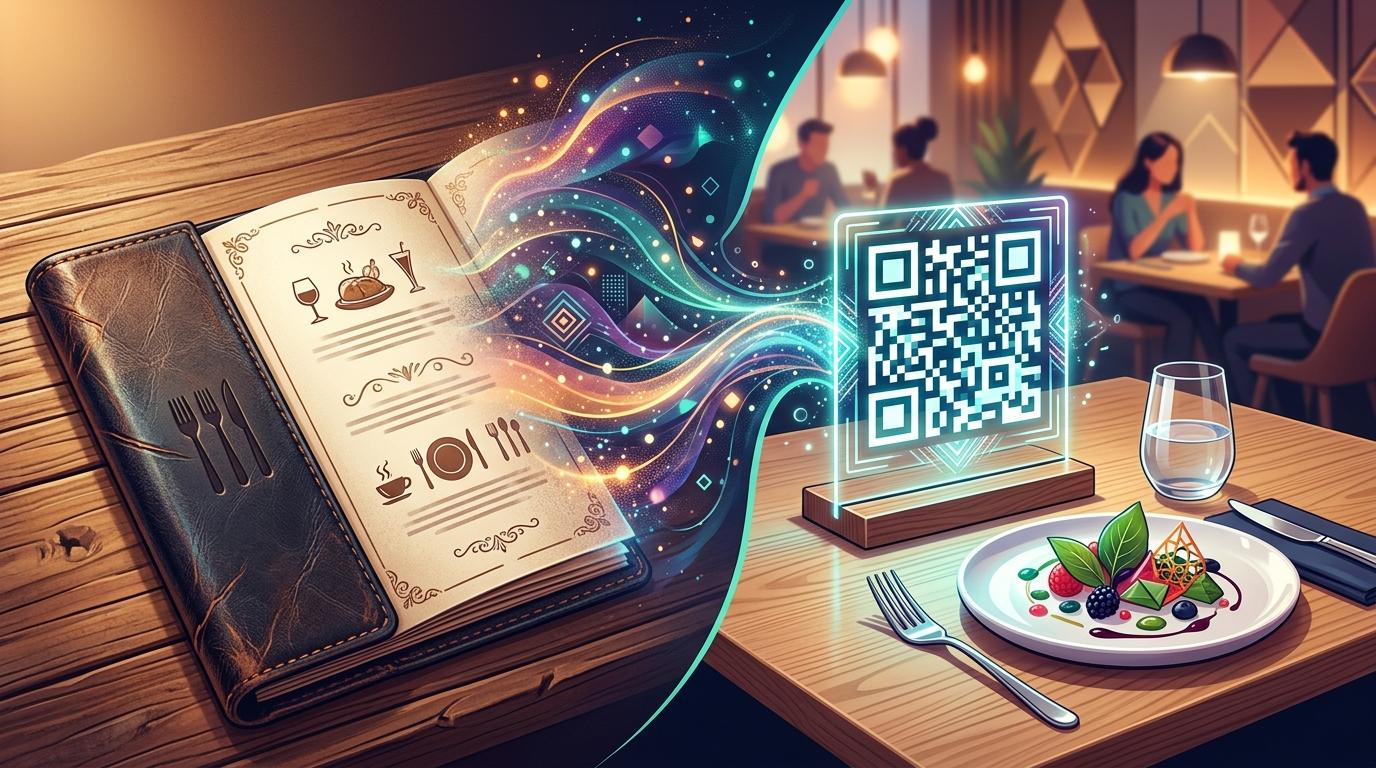
Are you looking for a seamless, modern way to elevate your customer dining experience while drastically cutting down on recurring print and operational costs? Managing a thriving restaurant, bustling cafe, or boutique food business often means dealing with outdated physical menus, sudden ingredient cost adjustments, and worn-out paper laminates. This is exactly where GetQRMenu transforms your daily operations into a streamlined digital workflow. A dynamic digital menu powered by a dedicated QR code allows your guests to instantly access your offerings by simply scanning a code using their mobile smartphones—no cumbersome apps required.
With GetQRMenu, you receive a powerful yet exceptionally intuitive platform designed to build, organize, and customize your venue’s unique QR menu code. Forget about reprinting physical menus every time you need to tweak a price point, add a seasonal chef's special, or update high-resolution dish photography. Everything is managed effortlessly from a single central management dashboard, reflecting live changes in seconds while giving you comprehensive visibility into guest interactions through real-time scan analytics and behavioral trends.
Why Switch to GetQRMenu Today?
Transitioning to a digital menu completely eliminates print menu maintenance overhead, ensures your menu pricing is always accurate across all tables, and delivers data insights on customer scan performance—empowering you to make smarter, data-driven culinary and promotional decisions.
What Is a QR Code Menu?
A QR code menu is a cloud-hosted digital representation of your food and beverage offerings accessed via a quick camera scan on any internet-enabled mobile device. Instead of passing around heavy paper books, laminated sheets, or plastic booklets that require continuous sanitization and frequent re-printing, tables display an elegant venue-specific QR code. When customers point their camera at this code, your custom interactive digital menu opens immediately in their mobile browser with optimized loading speeds.
Powered by GetQRMenu, this system utilizes dynamic routing technology. This means the underlying physical QR code sticker or acrylic stand printed on your dining tables remains permanently identical, while the content behind it—including food categories, individual items, dietary labels, price variations, and appetizing imagery—can be modified anytime from your admin control panel.
Key Features of GetQRMenu
GetQRMenu focuses strictly on providing robust, business-centric tools designed to eliminate operational friction and make digital menu management completely effortless for restaurant owners and managers. Here is a closer look at what you get:
Business-Specific QR Code
Get a dedicated, high-resolution custom QR menu code crafted specifically to represent your distinct brand identity.
Dynamic Digital Menu Engine
Effortlessly add categories, menu items, dynamic pricing, and photos. Update your live menu instantly without touching a printer.
Real-Time Scan Analytics
Track customer engagement patterns, peak dining hours, and total scan metrics directly from your unified admin dashboard.
Forever Free Package
Get started with zero financial risk—no credit card details required—and list up to 25 items on your digital menu at zero cost.
Flexible Monthly Plans
Zero long-term lock-ins or rigid contracts. Upgrade, downgrade, or pause your account whenever your business seasonality dictates.
Unlimited Categories & Fast Support
Organize your food offerings into as many categories as needed across all tiers, backed by responsive client technical support.
Top Operational & Financial Benefits of Using a QR Code Menu
Adopting a digital QR menu is no longer just a temporary trend; it represents a substantial long-term operational upgrade for modern dining establishments:
- Zero Print & Material Expenses: Permanently erase recurring printing costs for seasonal menus, daily chef specials, or price corrections.
- Instant Real-Time Content Modifications: Mark out-of-stock items as unavailable instantly and push live price or description updates within milliseconds.
- Actionable Customer Insights: Harness comprehensive QR scan statistics to identify peak dining windows and evaluate customer traffic patterns.
- Modern & Hygienic Guest Experience: Offer guests a sleek, contactless browsing method that keeps table spaces clutter-free and highly aesthetic.
- Risk-Free Trial & Smooth Setup: Build your digital menu immediately on the free plan with zero upfront monetary commitments or credit card prompts.
Comparing GetQRMenu Plans & Scalability
Whether you operate a cozy neighborhood coffee spot, a high-volume downtown bar, or a multi-location restaurant brand, GetQRMenu provides an adaptable structure tailored to scale smoothly alongside your business growth.
| Feature | Free Package | Upgraded Tier Plans |
|---|---|---|
| Credit Card Required | No (100% Free Start) | Yes (Secure Billing) |
| Menu Items Limit | Up to 25 items | Expanded / Unlimited Items |
| Category Management | Unlimited Categories | Unlimited Categories |
| Scan Analytics & Tracking | Full Access Included | Advanced Analytics Included |
| Contractual Commitment | None | Cancel or modify anytime |
How to Set Up Your QR Code Menu: Step-by-Step
Getting your restaurant fully equipped with GetQRMenu takes less than ten minutes. Follow this straightforward implementation roadmap:
- Step 1: Register Your Free Account: Sign up through our central administrative dashboard without providing any credit card or payment info.
- Step 2: Structure Your Menu Categories: Create intuitive main categories and subcategories like Starters, Chef Specials, Mains, Desserts, and Cocktails.
- Step 3: Add Items, Prices & Visuals: Upload vibrant product photos, add detailed descriptions, mark dietary preferences, and enter current prices.
- Step 4: Download High-Res Venue QR Code: Access your account panel to export your personalized vector-ready QR code file.
- Step 5: Print & Position on Tables: Incorporate the code into table tents, acrylic stands, counter displays, or window stickers across your venue.
- Step 6: Monitor Performance & Optimize: Review real-time scan charts on your dashboard to evaluate customer viewing patterns throughout operating hours.
Best Practices for Implementing GetQRMenu Effectively
To maximize adoption rates and ensure a stellar experience for your guests, keep these industry-proven tips in mind:
First, invest time in capturing clear, high-quality photographs for your signature dishes. Visual appeal directly influences ordering behavior and upsells high-margin items naturally. Second, keep item descriptions clear, highlighting major ingredients and allergy details so guests can make informed decisions quickly. Finally, place physical QR codes in prominent, well-lit table locations accompanied by a friendly call-to-action phrase such as "Scan Here to View Our Fresh Menu".
Dedicated Customer Support & Total Account Control
Managing your digital menu panel shouldn't feel like managing complex software. GetQRMenu is engineered for ultimate ease of use, supported by a dedicated technical support team ready to assist with account setup or custom requirements. Because our service operates on flexible month-to-month plans without restrictive long-term commitments, you remain in complete control of your subscription—giving you full freedom to adjust features or scale operations seamlessly.
Empower your business with modern digital capabilities, reduce menu maintenance overhead, and gain invaluable guest interaction analytics with GetQRMenu today.
Ready to Create Your Free Digital QR Menu?
Access the GetQRMenu dashboard today, build your custom dynamic menu with unlimited categories, and manage items, photos, and live pricing in seconds. Launch your free account now—no credit card required!
Get Started with GetQRMenu
GetQRMenu
Digital QR Menu Platform